How to use TalkStik
TalkStik gives two people a simple structure. One of you speaks. The other listens. Then the stick passes. This article walks through one complete session, from opening the app to reading your reflection. We don’t expect you to know how to use this, and that’s why we’re here.
1. Getting started
Section titled “1. Getting started”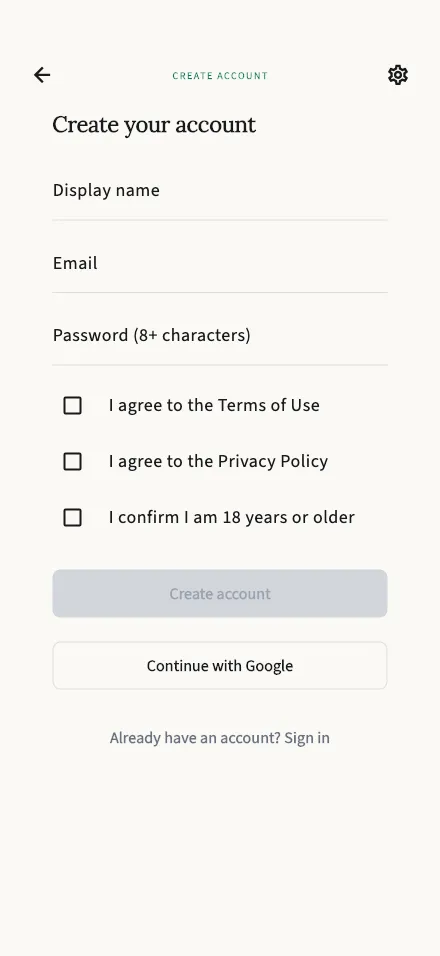
Download TalkStik from the App Store or Google Play and create your account. You will enter a display name, an email, and a password, or continue with Apple or Google. TalkStik is for adults, so you will confirm you are 18 or older.
Your account starts with 30 free minutes of conversation time. This is time to get to know TalkStik. It can cover up to a few full conversations. There is nothing to set up beyond that. You need your phone, your person, and an open mind, at least a little.
TalkStik is built for two people in the same room. Sit wherever feels natural. You will pass one phone’s code to the other, and each of you uses your own phone.
2. Starting a session
Section titled “2. Starting a session”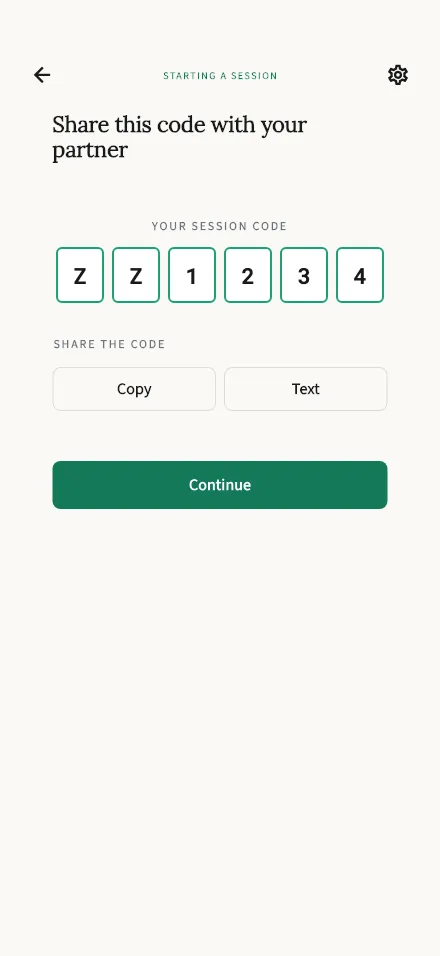
One of you starts the session. On the welcome screen, tap Start a conversation. The app shows a 6-character code right away. Share it with your partner however you like: read it out loud, or tap Copy and send it.
Your partner taps Join a session on their phone and enters the code. The code is not case sensitive. If a code will not work, the simplest fix is to start a fresh session and share the new code. You can read more on the Start a session and Join a session guides.
One thing to know now: the person who starts the session also speaks first.
3. The consent step
Section titled “3. The consent step”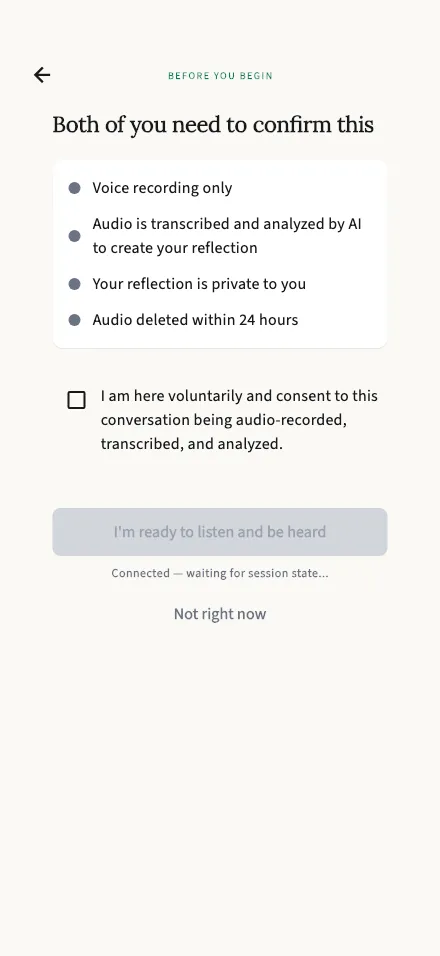
Before anything begins, you each confirm consent on your own phone. Every session, both people, no exceptions. Neither of you can start the session alone.
The screen spells out what you are agreeing to, in plain terms:
- Your voices are captured as audio. No video, ever.
- The audio becomes text, and AI uses that text to write your reflections.
- Your reflection is private to you. Your partner gets their own.
- The audio itself is deleted within 24 hours.
If you are ready, confirm and wait a moment for your partner to do the same. If you are not ready, tap Not right now. Nothing is captured, and nothing is held against you. A session that does not start is completely OK.
4. Taking turns
Section titled “4. Taking turns”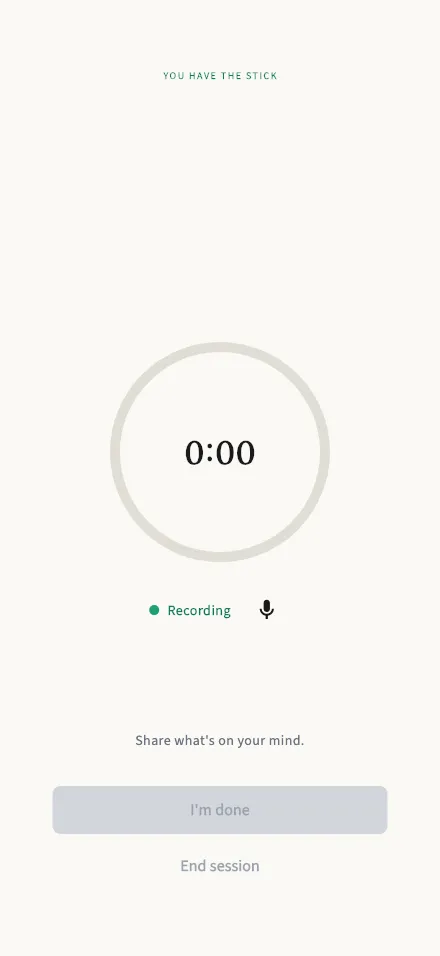
When both of you have confirmed, the session begins on its own. The person who started the session holds the stick first.
While you hold the stick: you have up to 2 minutes to speak. A countdown shows your time. Say what you need to say. If you finish early, tap I’m done to pass the stick. Need a private moment? Tap the mic icon to mute yourself. The clock keeps running.
While your partner holds the stick: you listen. That is the whole job. The app will not let you take a turn out of order. That means you can simply hear, without working on what to say next.
When a turn ends, the speaker chooses: Pass the stick, or End session. The stick can go back and forth as many rounds as you both want. There is no set number of turns. A session ends only when one of you chooses to end it, and either of you can.
5. After the session
Section titled “5. After the session”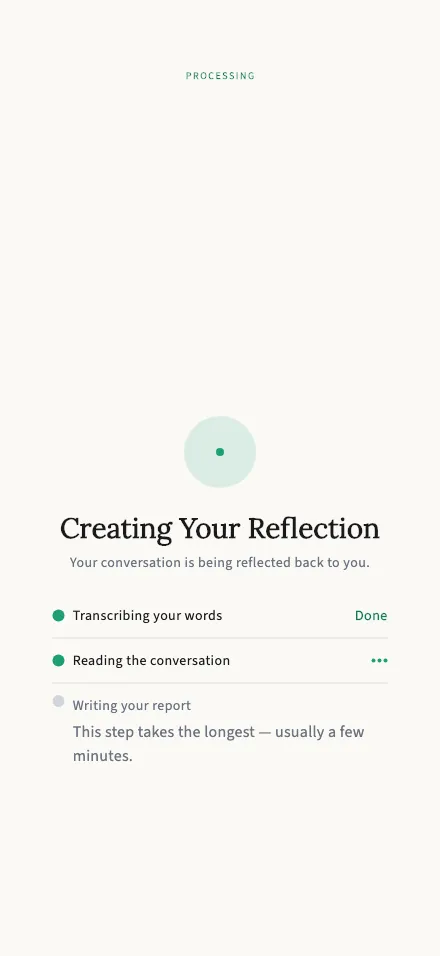
When the session ends, TalkStik starts writing. You can watch the three steps on screen: your words become text, the AI reads the whole conversation, and your report is written. Your partner’s phone does the same. When it finishes, your report opens on its own. Your report can take a few minutes to arrive, and extended conversations may take longer. That is normal.
If something goes wrong along the way, you will see a Try again button. Your conversation is already safe at that point. Retrying loses nothing.
6. Reading your reflection
Section titled “6. Reading your reflection”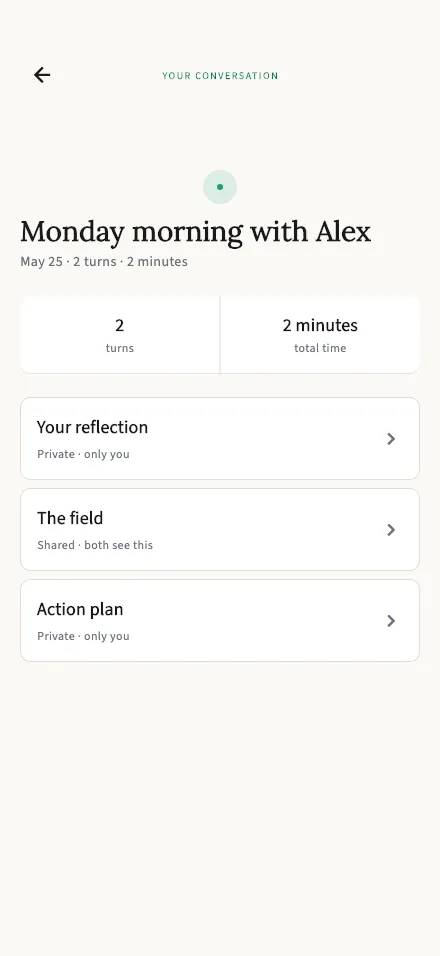
Your report opens on an overview: the date, the number of turns, and a bar showing how the speaking time was shared. From there, three doors:
- Your reflection. Private, only you. Your partner never sees it, and theirs is never shown to you.
- The Field. Shared. You both see the same view of the conversation.
- Action plan. Private, only you. Two or three small, doable suggestions for next time.
A reflection is a mirror, not a scorecard. It starts with what you did well. It notices patterns, like how the time was shared and what listening looked like. It never picks a winner, and it never hands down a verdict. If a line lands, sit with it. If a line misses, let it go. You know your conversation better than any mirror does.
You can return to any report later from your session history.
7. Your words, your data
Section titled “7. Your words, your data”The audio from your turns is deleted within 24 hours, automatically. Transcripts and reports stay in your history so you can revisit them, and they belong to you. You can delete your entire account and its contents from inside the app.
For the full picture, see the data articles in this section. And if you have a question this site does not answer, write to [email protected]. A human reads it.
One last thing
Section titled “One last thing”TalkStik is not a referee, and it does not take sides. It is a structure for taking turns, and a mirror for your own words. The stick does the simplest thing in the world: it makes room for one voice at a time. The rest is the two of you.