Plan & minutes
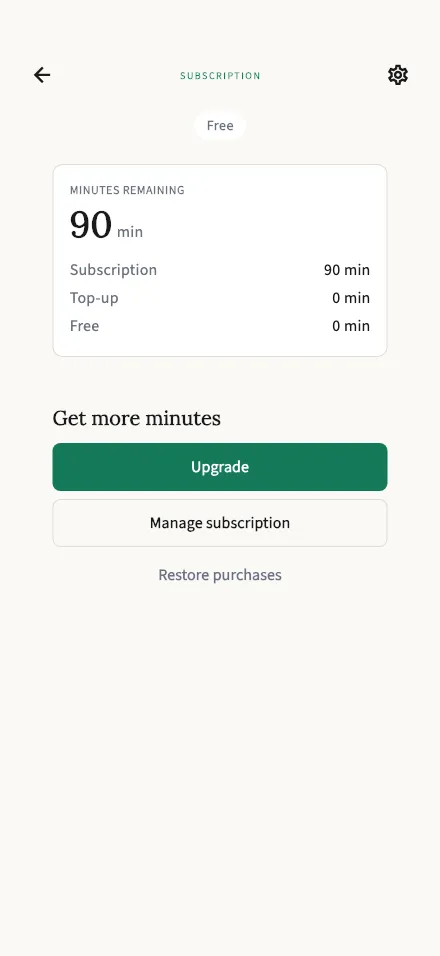
Check your remaining minutes, upgrade your plan, or restore a previous purchase.
In-app route: /subscription
How minutes work
Section titled “How minutes work”TalkStik measures usage in minutes of recorded speaking time — the clock only counts while someone holds the stick and is being recorded.
Your balance is the total of three buckets, spent in this order:
- Free — the 30 minutes every new account starts with. This is a one-time welcome grant, not a trial: it never expires into a charge, and nothing converts automatically. Used first.
- Subscription — your monthly allowance if you subscribe: 240 minutes per month with Personal Monthly at $9.99/month. Refreshes each month; unused minutes don’t roll over.
- Top-up — any extra minutes added to your account beyond the two above. These never expire, and they’re only touched after the other two run out.
The big number at the top is everything you have left, with the per-bucket breakdown below it.
Upgrading and managing your plan
Section titled “Upgrading and managing your plan”- Upgrade (or Manage plan if you’re already subscribed) opens the plan chooser.
- Manage subscription opens your phone’s own subscription settings — that’s also where you cancel, since subscriptions are billed through the App Store / Google Play.
- Restore purchases re-links purchases you made on another device or before a reinstall.
Cancelling doesn’t take away what you’ve paid for: your subscription minutes stay usable until the end of the billing period you already paid for.