Preparing your report
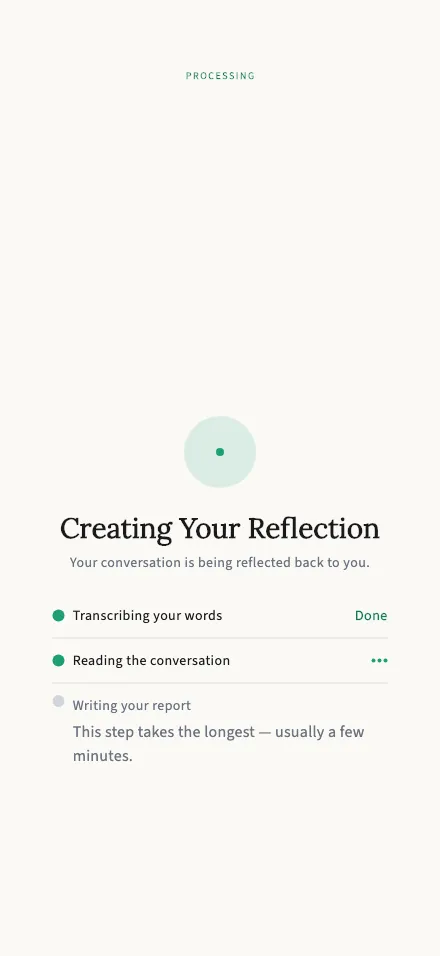
TalkStik transcribes your session and writes your report — this screen tracks the progress.
In-app route: /session/:id/processing
View the full-length screen

Creating your reflection
Section titled “Creating your reflection”When the session ends, TalkStik turns the conversation into your report in three steps you can watch tick by:
- Transcribing your words — each recorded turn becomes text.
- Reading the conversation — the AI considers the whole exchange.
- Writing your report — the shared view and each person’s private reflection are written.
When it’s done you’re taken to your report overview automatically. Your partner’s phone does the same — and each of you receives your own private reflection and action plan, plus one shared view you both see.
If something goes wrong
Section titled “If something goes wrong”You’ll see “Something went wrong” with a Try again button — tap it to restart the report. Your recordings and transcripts are already safe on the server at this point, so nothing from the conversation is lost by retrying.