Your profile
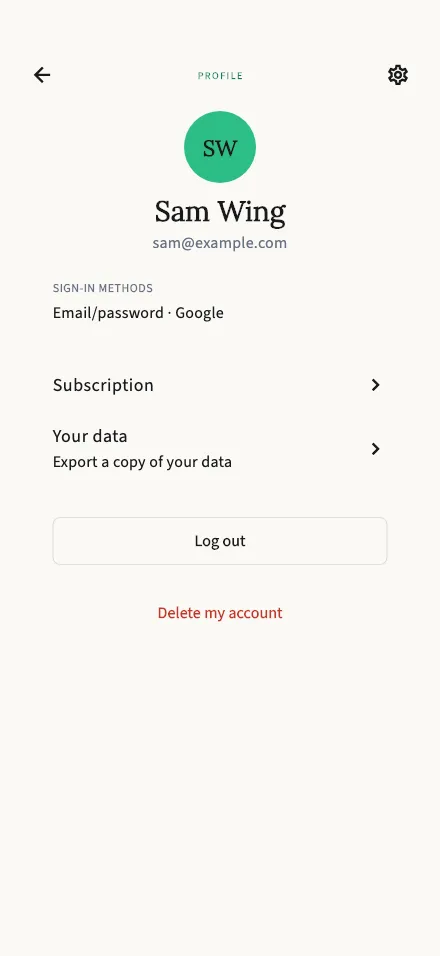
See your account details, resend your verification email, and sign out.
In-app route: /profile
What’s here
Section titled “What’s here”Your profile shows your avatar, display name, and email, plus a Sign-in methods line listing how you can get into your account — email/password, and any Apple or Google accounts you’ve linked.
From here you can also reach:
- Subscription — your plan and remaining minutes.
- Your data — export a copy of the data we hold about you: your account, sessions, transcripts, and reports. The download link it prepares expires after about 5 minutes, so grab it when it’s ready.
Verifying your email
Section titled “Verifying your email”If your email isn’t verified yet, you’ll see a banner — “We sent a verification link to …” — with a Resend email button. Tap the link in the email to finish; see Verify your email for the details.
Signing out and deleting your account
Section titled “Signing out and deleting your account”- Log out signs you out on this device. Your sessions and reports are safe — sign back in any time.
- Delete my account permanently removes your account after a confirmation dialog. This is not a sign-out: your data is deleted, so consider using Your data to export a copy first.
Using TalkStik as a guest?
Section titled “Using TalkStik as a guest?”Without an account this screen simply says “You’re browsing without an account” with a Sign in button — and you can still export your data. To keep your history safe across devices, see Create your account.