Start a session
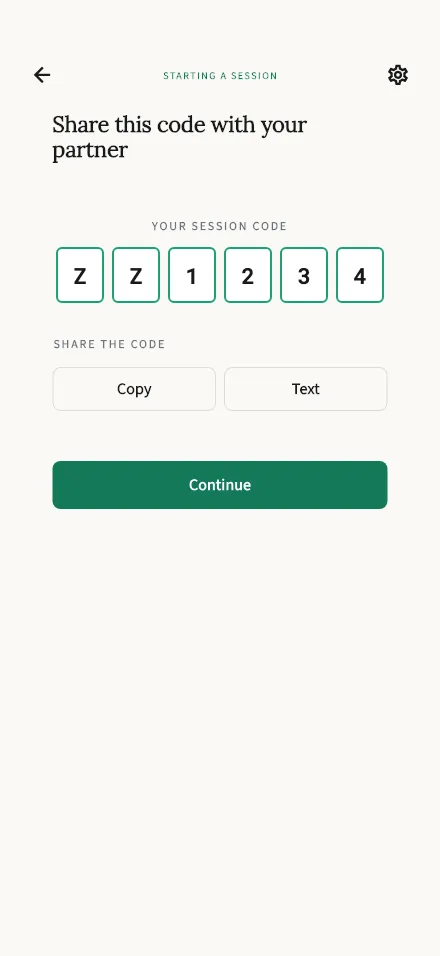
Creates your session and shows the 6-character code to share with your partner.
In-app route: /start
Starting a session
Section titled “Starting a session”The session is created the moment this screen opens — no extra button. You’ll see your session code: 6 characters your partner enters on their phone to join you.
- Share it right away — your partner can join as soon as they have it.
- Tap Copy to put it on your clipboard (the button flips to Copied!), then paste it into any message to your partner.
- As the person who started the session, you’ll speak first once you’re both in.
When your partner has the code, tap Continue. You’ll both confirm a short consent step, and then the session begins.
Something not working?
Section titled “Something not working?”- “Failed to create session.” — usually a connection hiccup. Check your internet and try again from the welcome screen.
- Partner can’t join? Double-check the code together, or start a fresh session and share the new code. See Join a session for what they see on their side.