Recording consent
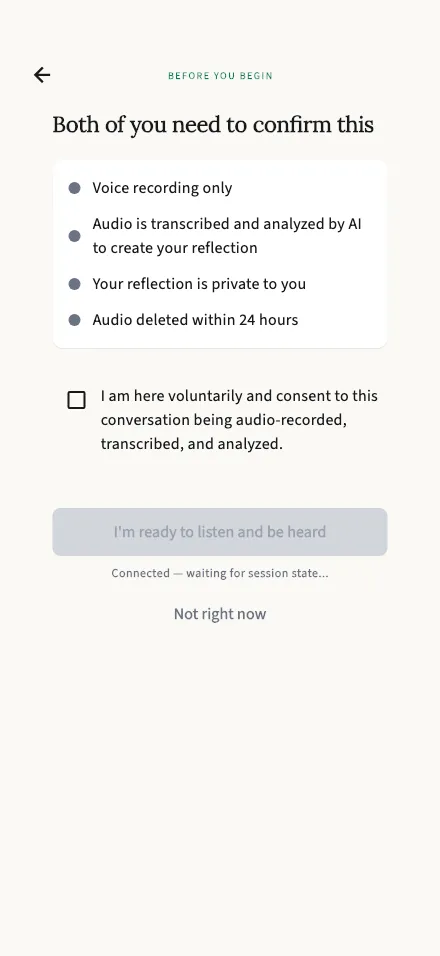
Both of you confirm you’re comfortable with the session being recorded before anything begins.
In-app route: /session/:id/consent
View the full-length screen
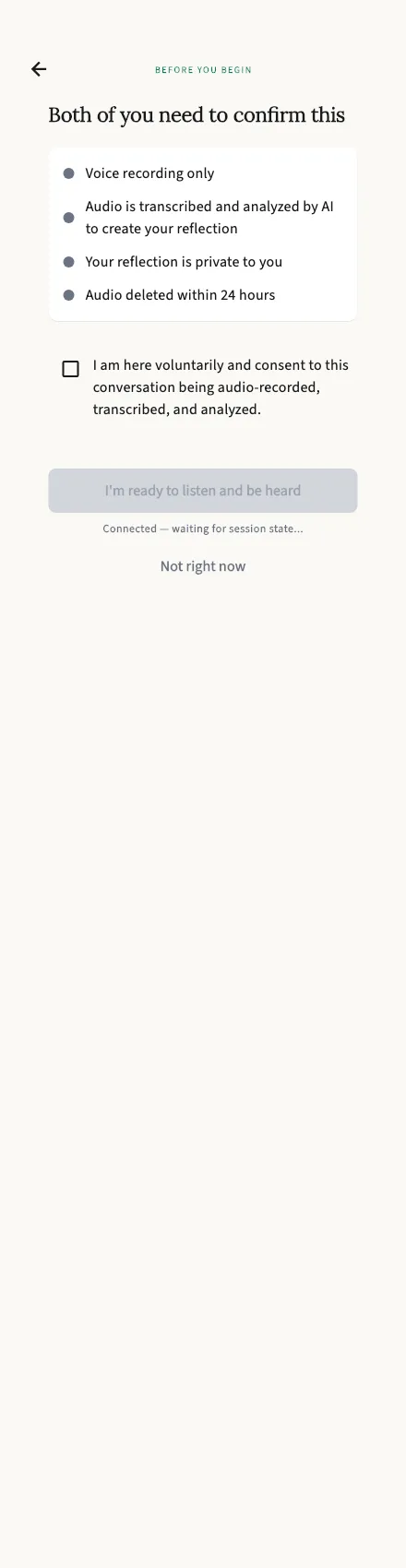
Both of you confirm, every time
Section titled “Both of you confirm, every time”A session can’t begin until both participants have confirmed consent — there’s no way for one person to start recording the other. This screen spells out exactly what you’re agreeing to:
- Voice recording only — no video, no screen contents.
- Audio is transcribed and analyzed by AI to create your reflection.
- Your reflection is private to you — your partner gets their own.
- Audio is deleted within 24 hours — the recordings themselves are removed; your transcripts and reports are what’s kept.
Tick the box — “I am here voluntarily and consent to this conversation being audio-recorded, transcribed, and analyzed.” — and tap I’m ready to listen and be heard.
Waiting for your partner
Section titled “Waiting for your partner”Once you’ve confirmed, you’ll see “Partner is reading” until they confirm too, then the session starts on its own — the person who created the session speaks first.
Not ready?
Section titled “Not ready?”Tap Not right now (or the back arrow) to leave without starting anything. Nothing is recorded until both of you have said yes.